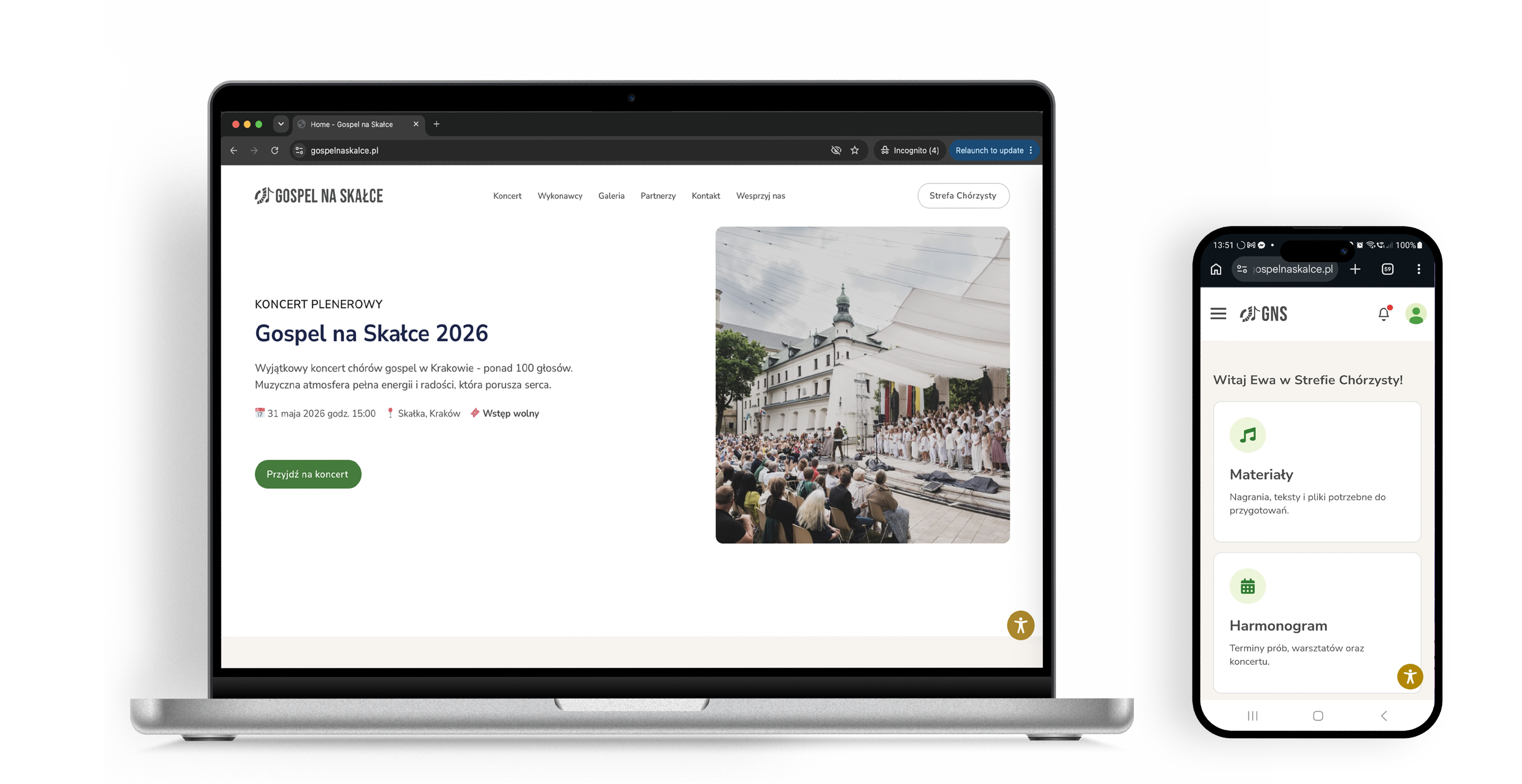
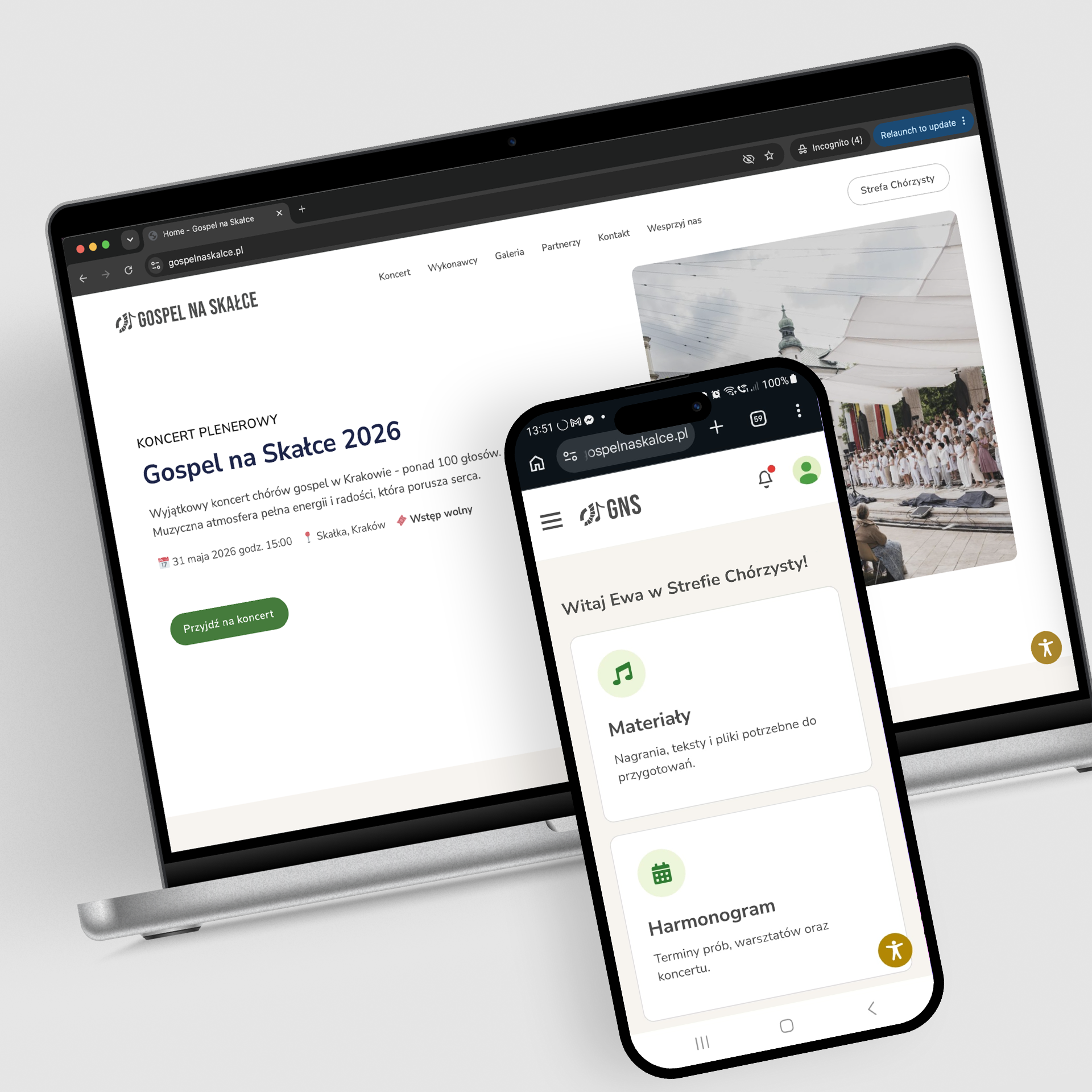
A digital platform designed to promote the Gospel na Skałce event, support choir members in preparing for the concert, and enable non-technical organizers to manage participants and platform access.
ROLE
UX/UI Designer · WordPress Developer
SCOPE
Research · UX/UI Design · UX Writing · WordPress Implementation
PLATFORM
Responsive Web
STATUS
Live Product
100+
CHOIR MEMBERS
01 · OVERVIEW
A digital product built around a large choir event.
Gospel na Skałce is an annual music event in Kraków, bringing together singers from multiple gospel choirs to prepare for and perform a shared concert.
02 · CHALLENGE
One event and three distinct user needs.
The website needed to serve three user groups with different goals and access requirements. With choir members ranging from young adults to seniors aged 70+, and organizers without technical expertise, the challenge was to create a cohesive, accessible experience that remained easy to use across different levels of digital literacy.
Event Visitors
Find essential concert information and decide to attend.
Choir Members
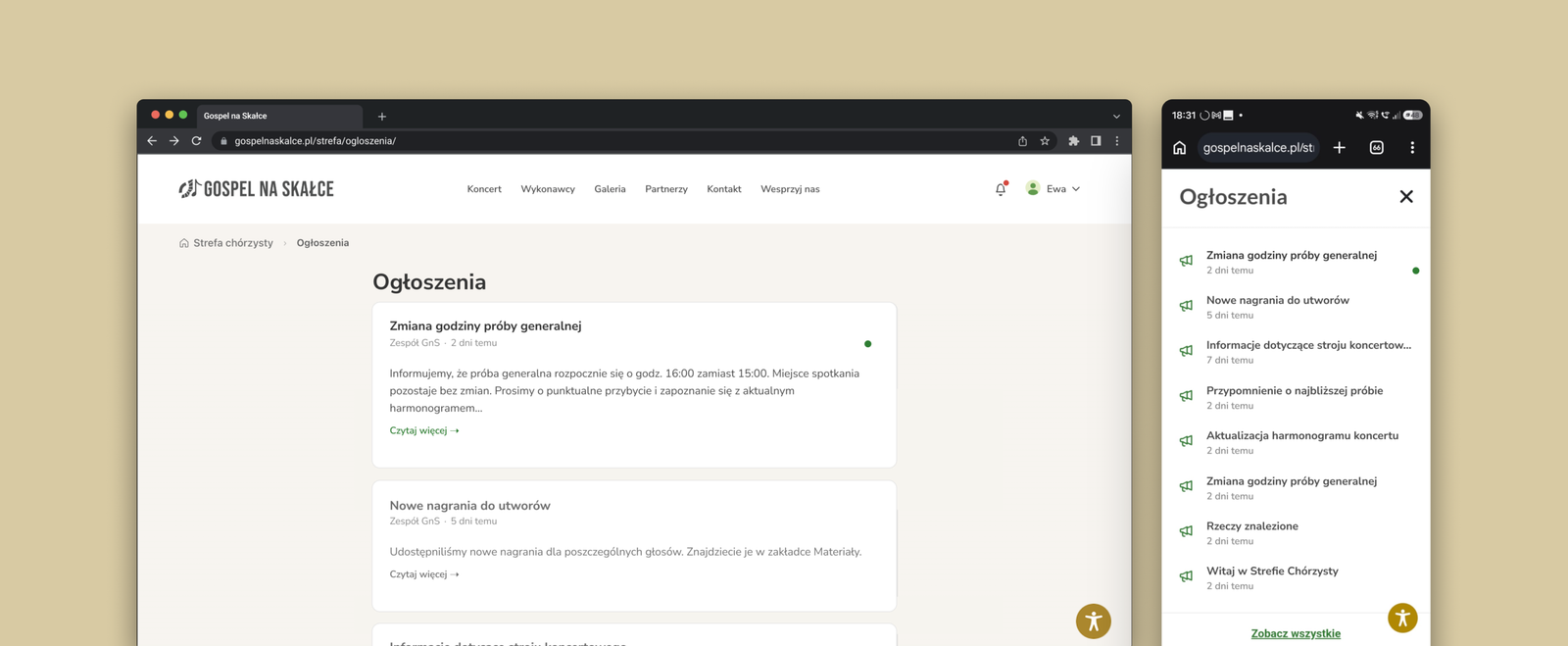
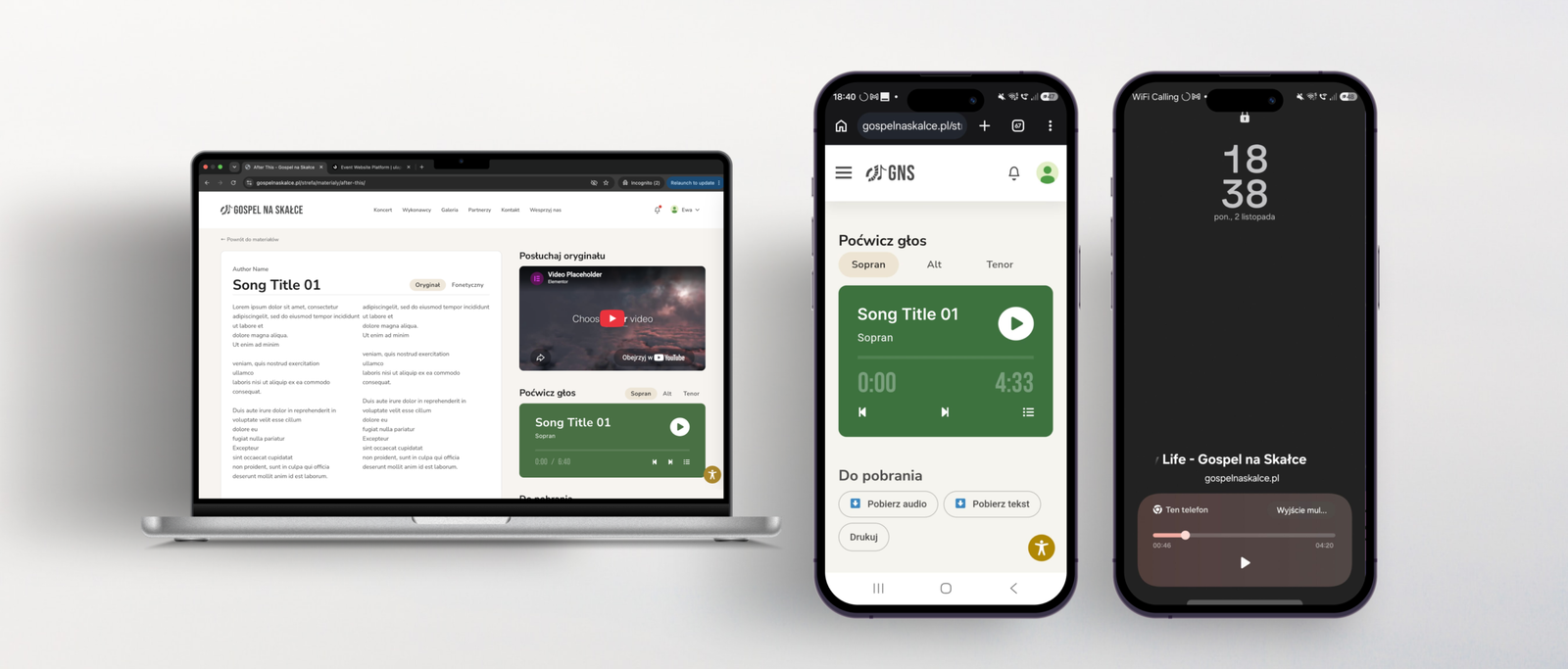
Access learning resources, rehearsal schedules, and updates.
Organizers
Manage participants and control access without technical complexity.
THE EXISTING CHALLENGES
Fragmented communication and disconnected participation workflows.
Participation confirmations and access to learning materials depended on manual coordination, making it difficult to maintain a consistent process. Event information was spread across Facebook, email, phone calls, and verbal updates from coordinators, leaving choir members without a single, reliable source of information. This highlighted the need for a centralized platform that could simplify participation management and make essential information easier to access.
03 · RESEARCH & DISCOVERY
Understanding the people behind the event.
The discovery phase focused on how choir members accessed event information, how participation and access were coordinated, and what each user group needed from a more consistent experience.
The findings helped define priorities across the event website, Choir Member Area, and organizer workflows.
01
CONCERT AUDIENCE
RESEARCH INSIGHT
The outdoor setting and unique atmosphere were key reasons to attend.
DESIGN DECISION
Highlight the outdoor concert experience through photography and clear event messaging.
02
CHOIR MEMBERS
RESEARCH INSIGHT
Choir members lacked a single, reliable source of information.
DESIGN DECISION
Centralize schedules, learning materials, and updates in a dedicated Choir Member Area.
03
ORGANIZERS
RESEARCH INSIGHT
Participation confirmation, payment verification, and access management required manual coordination.
DESIGN DECISION
Introduce a structured registration and access management process with payment tracking and manual approval.
04 · FROM INSIGHTS TO SOLUTION
Turning different needs into a clear product structure.
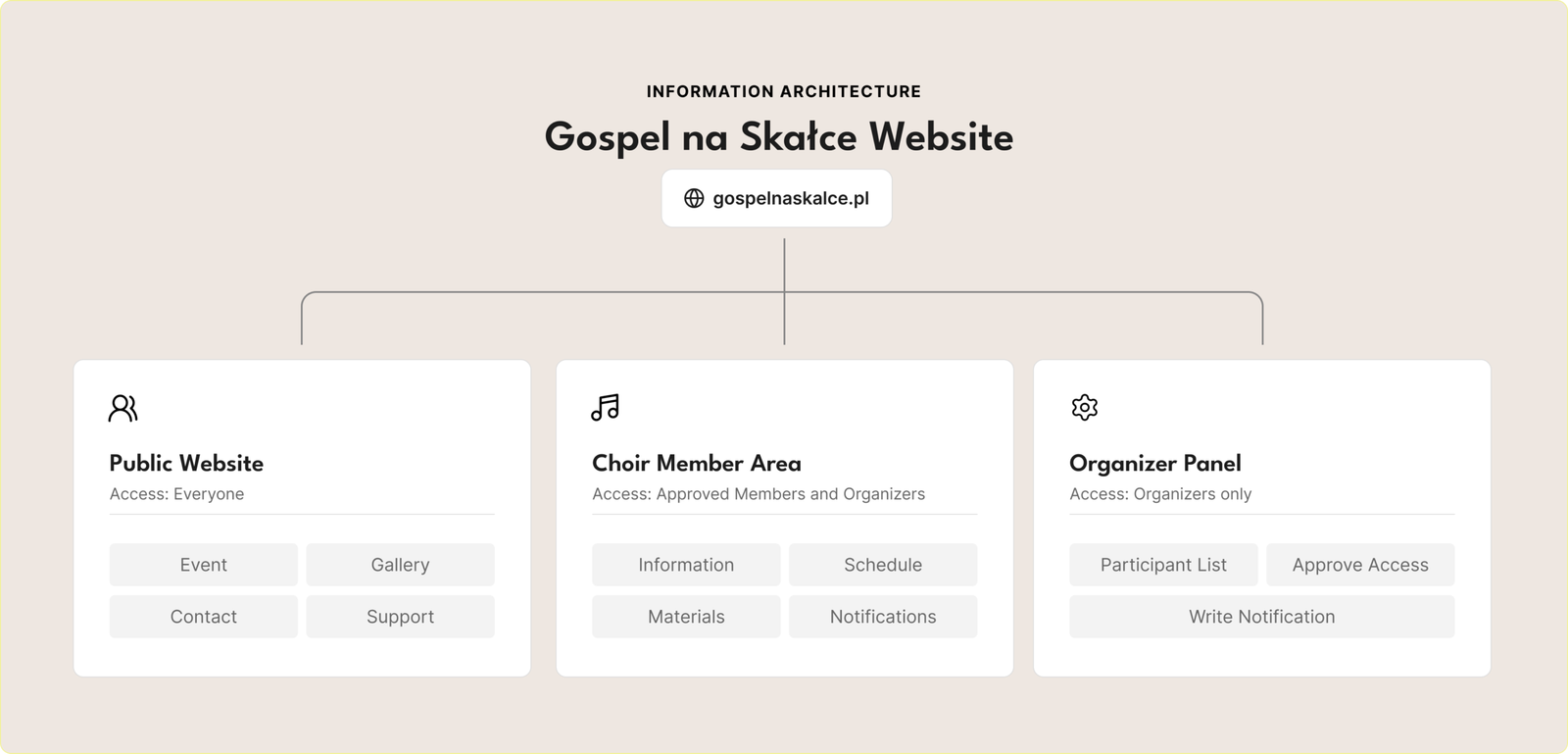
The research shaped the architecture around three audiences and their permissions. This separated promotional content from preparation tools and administrative tasks while keeping everything inside one connected product.
KEY ACCESS FLOW
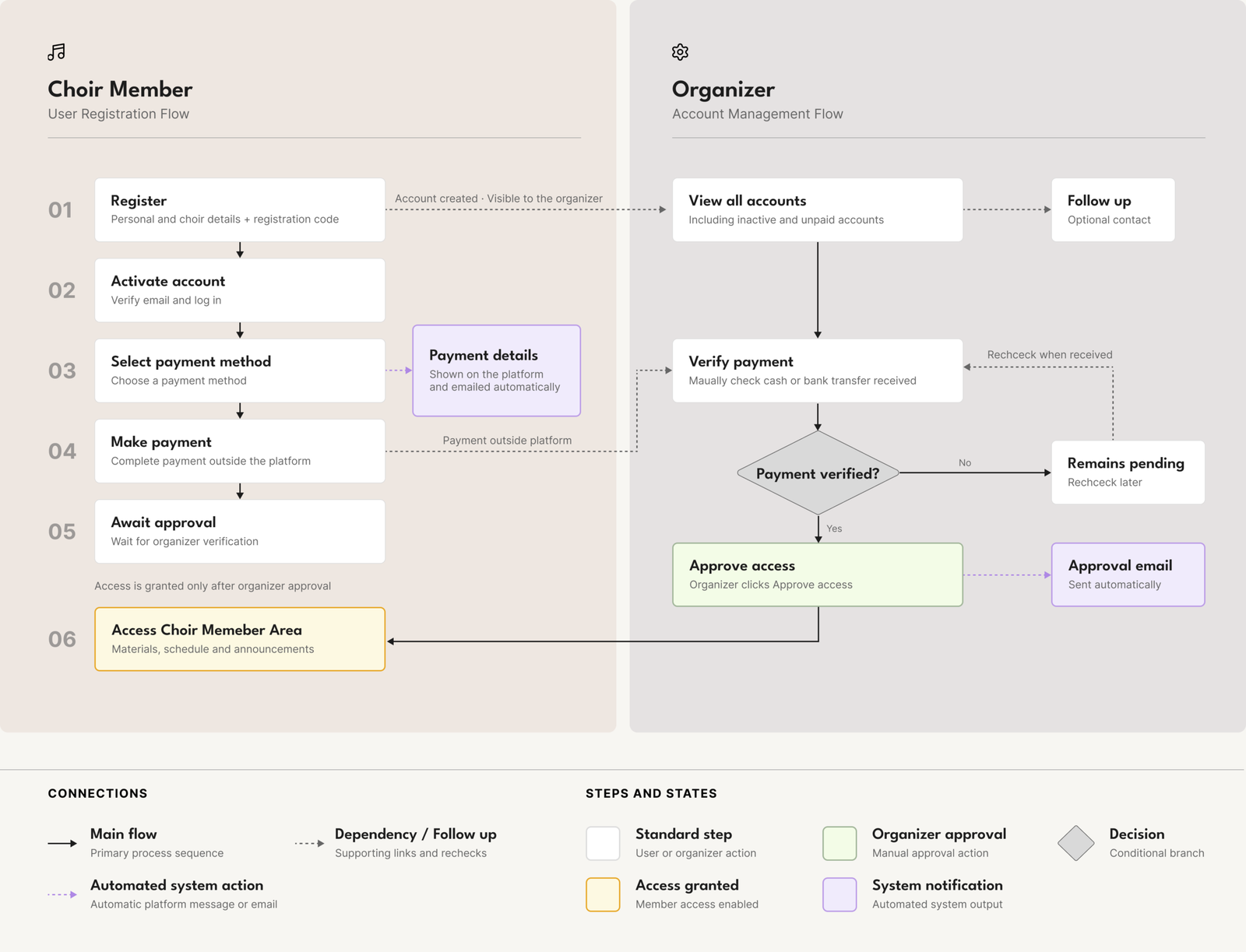
From Registration to Access.
To simplify participation management, I designed a two-sided access flow that connects choir member registration with payment verification and organizer approval.
05 · DESIGNING THE EXPERIENCE
Making everyday tasks easier to complete.
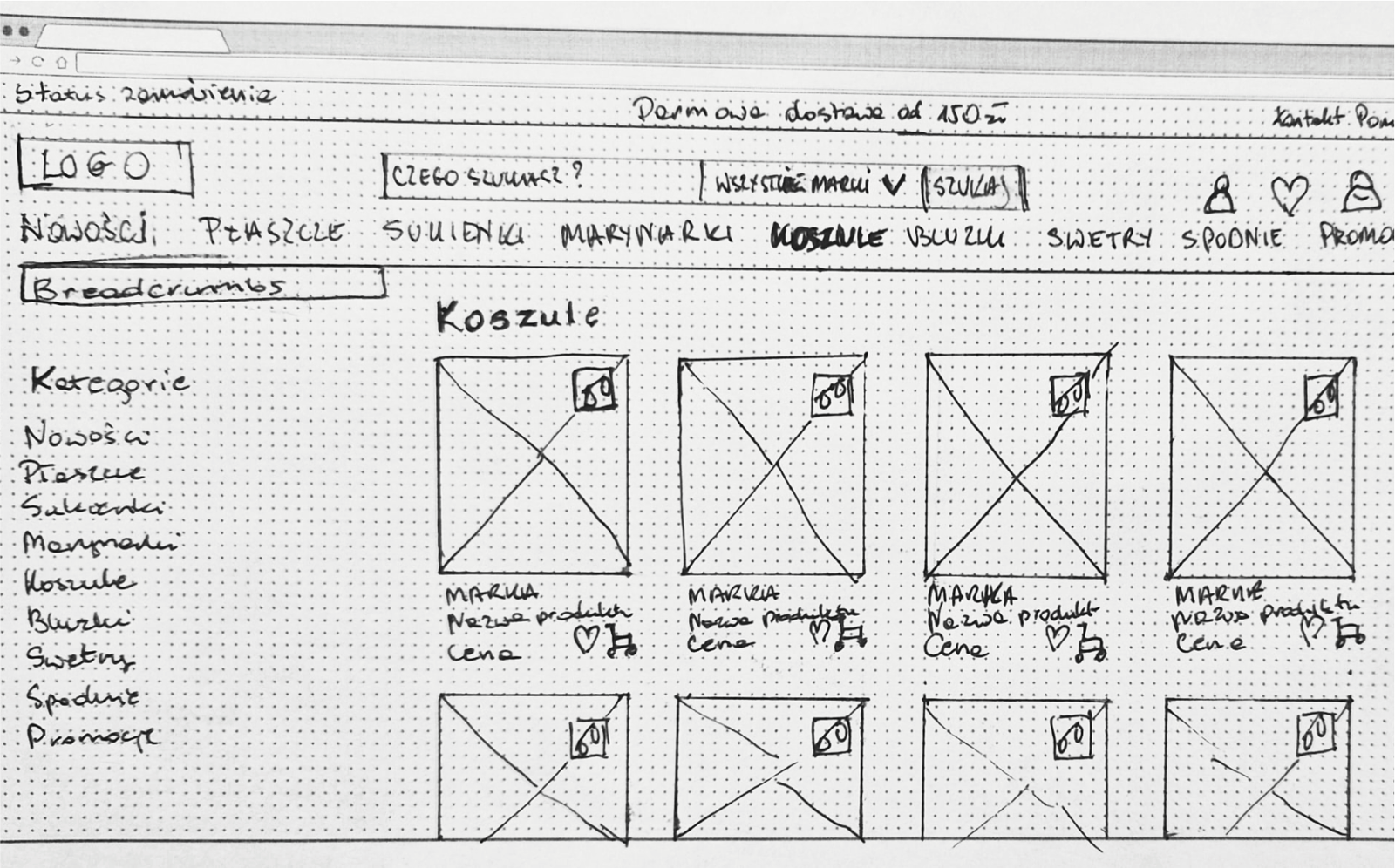
I explored interface structures through paper sketches, focusing on clear navigation and direct access to essential information for each user group.
EARLY SKETCHES
Building the structure.
Initial paper sketches helped define the structure of the public website, Choir Member Area, and organizer interface before implementation in WordPress.
Chosen cathegory
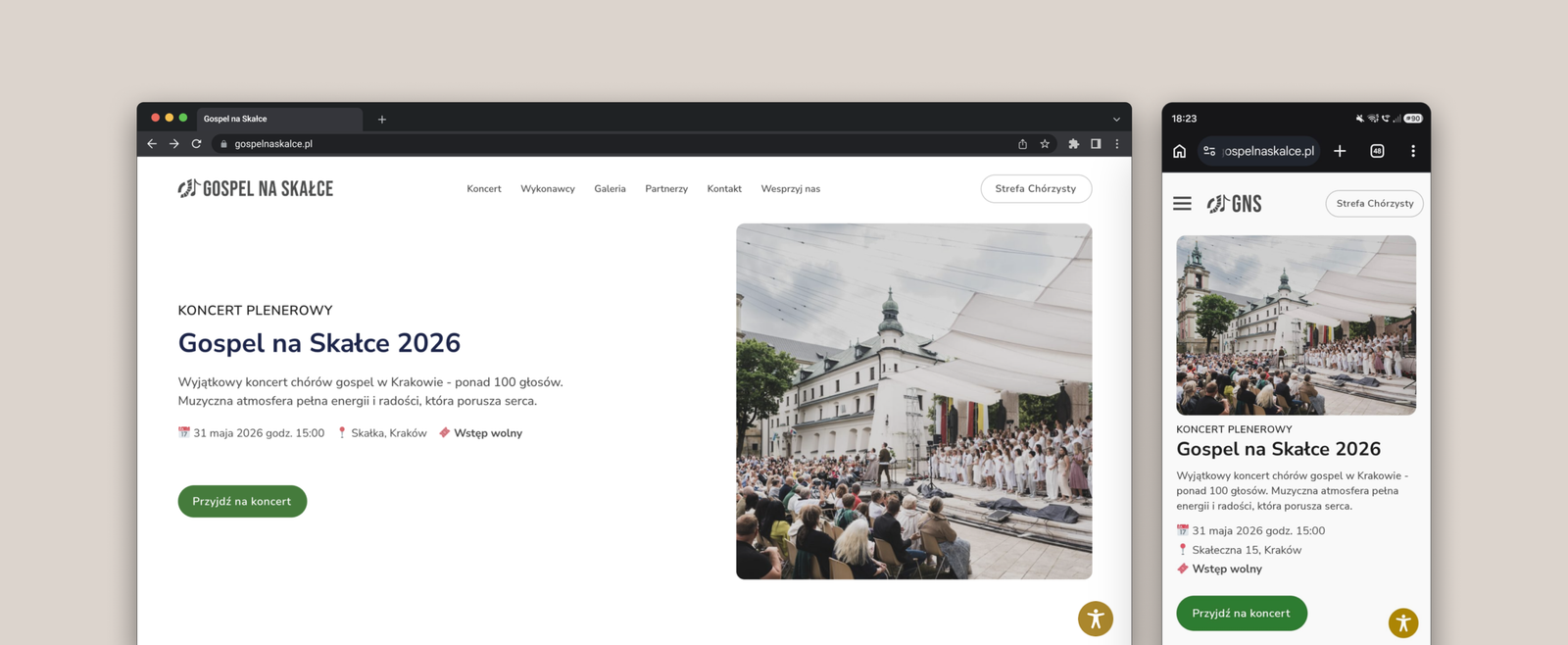
PUBLIC WEBSITE
Hero Section
Establishing a clear visual hierarchy for essential concert information.
Chosen cathegory
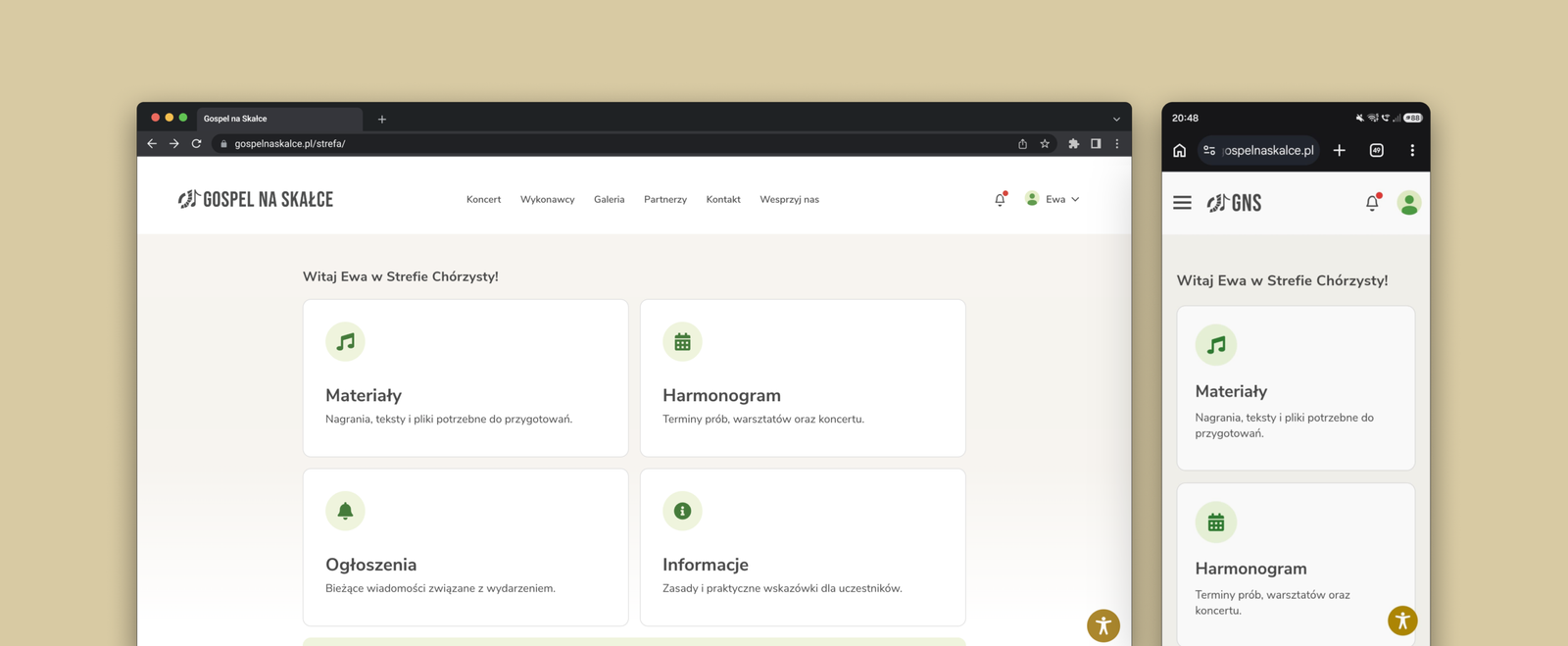
CHOIR MEMBER AREA
Main Navigation
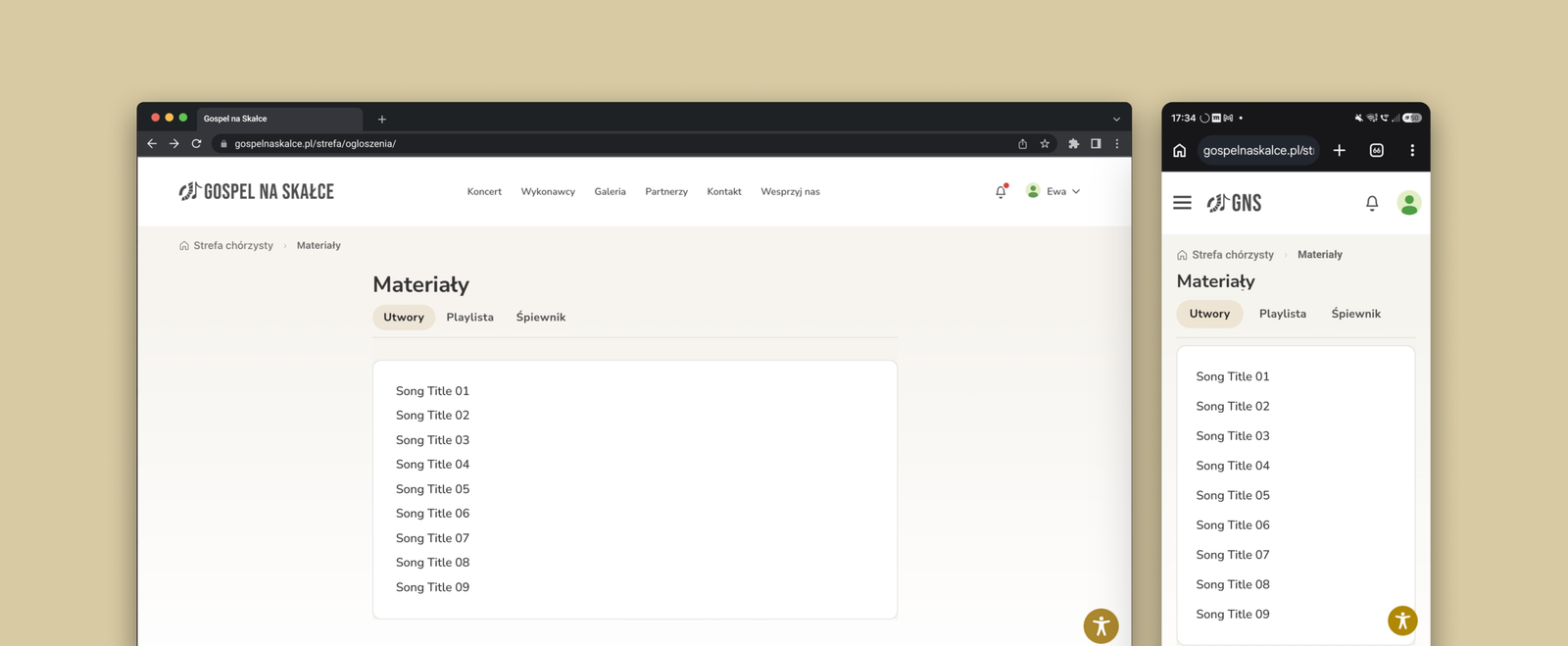
Providing direct access to essential resources through a simple tile-based layout.
Chosen cathegory
ORGANIZER PANEL
Participant Management
Making participant status and access approval easy to manage.
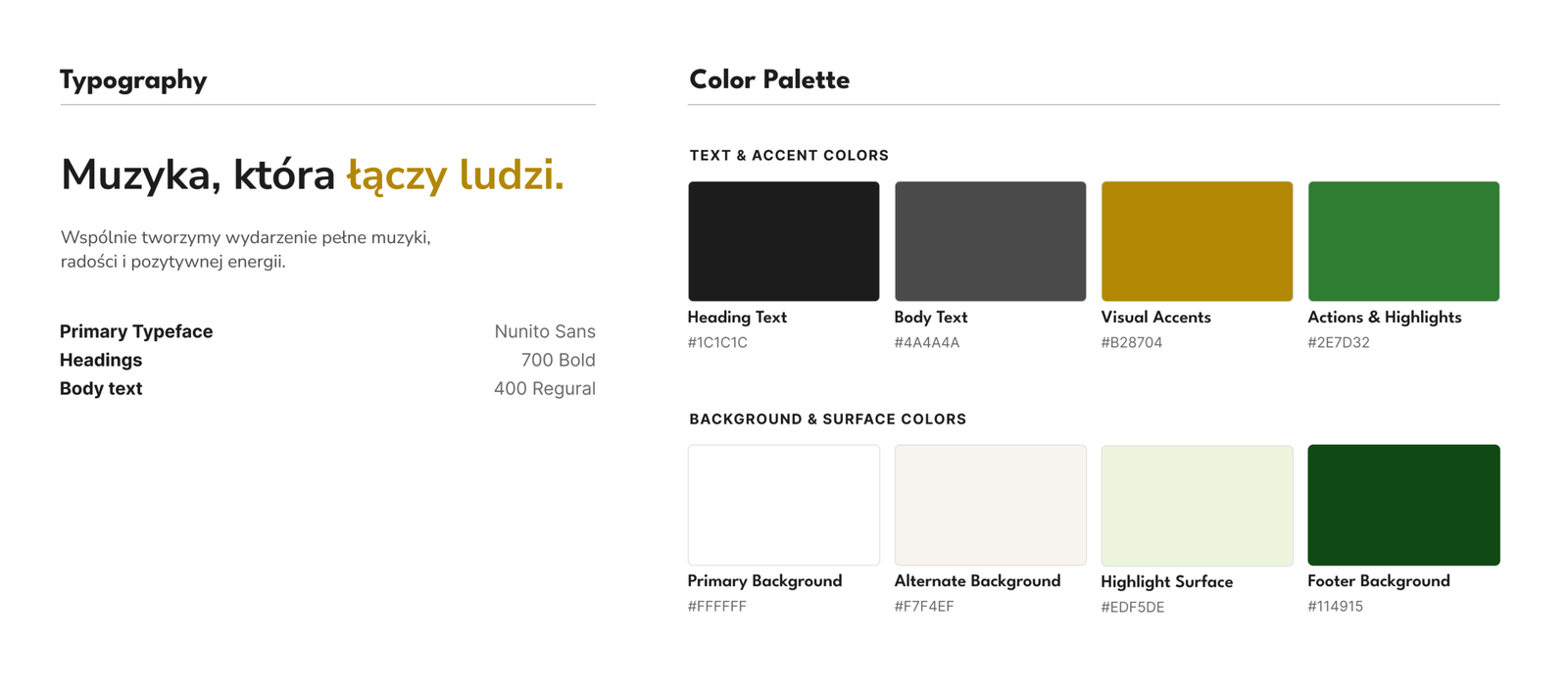
UI FUNDATIONS
Creating visual consistency
A simple visual language built around readable typography and a consistent color palette across the platform.
06 · FINAL PRODUCT
One product. Three user groups.
The final solution brings event information, choir resources, and organizer workflows into one connected platform. Below, each product area is shown through real screens and selected interactions